Since I had AI write all my commit messages in Cursor or VSCode, my git history looked like the same garbage (who cares anyway). I asked ChatGPT to write a script to clean up the mess it made, and we wrote it. Surprisingly!!?! Anyway, actually my English isn’t that good, so like everything else, I’ll have AI translate this article too. Because why not?
As for why I wanted to do this, I want to make a changelog or history page, so I wanted the history to look clean.
Let’s get started.
First, you’ll need a script like this to extract the JSON file.
In the next stage, everything is ready
After using the script, you can see that your git history has changed from the git view in the browser you’re using.
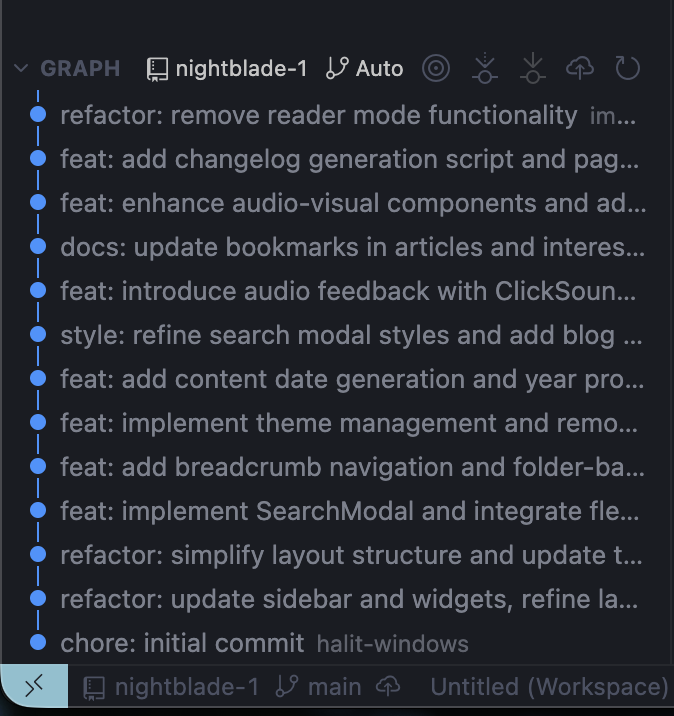
At this stage, you can push to remote using the command below. However, I got an error. Because I didn’t have a remote. WHAT??
git push --force-with-lease
# add remote
git remote add origin https://github.com/USERNAME/REPO_NAME.git

git branch -M main
git push --force-with-lease origin main

git fetch origin

git push --force-with-lease origin main
And with that, your entire history (in just one repo) will have changed. Of course, you can do this yourself by asking any AI. Or you can use it in a much more advanced way. This is the age of the future, anyone can do whatever they want, but these codes have no value. Nobody cares. (Should they?) I’m not sure. But it’s a fact that the software development process is changing. Let’s see what happens.
End of article